
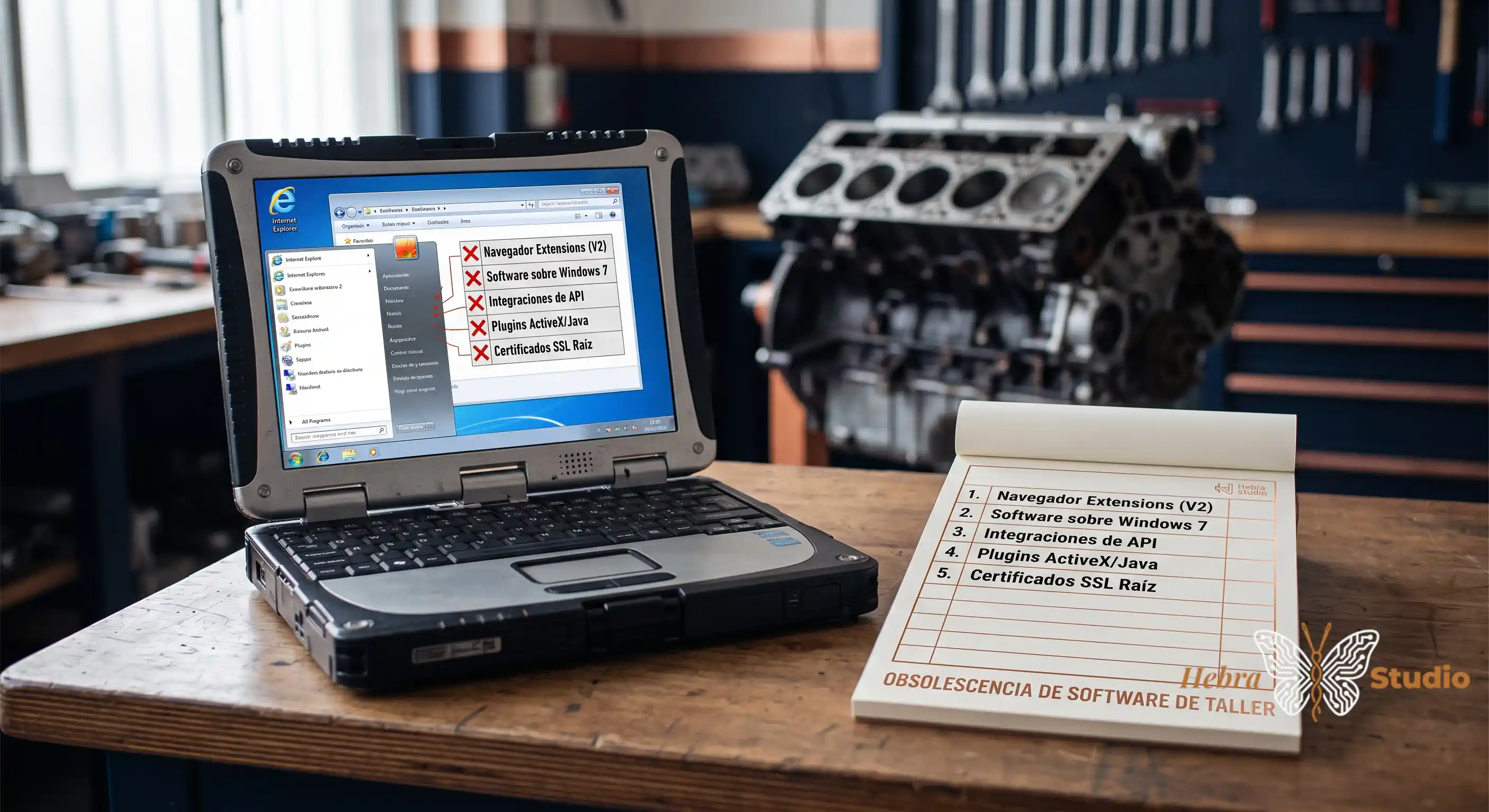
Subtitle: There are five pieces of software in your mechanical workshop that have an expiration date — some this year, others by 2027. Most workshops won’t discover them until a Monday at 9:00 when they fail without warning.
There are five categories of software that most small mechanical workshops in Spain have been carrying for 10-15 years and that are about to stop working, without notice, between this year and 2027. Microsoft Edge and Chrome are changing the rules for browser extensions, Windows 7 has been out of official support since 2020, third-party APIs are being deprecated without public schedules, ActiveX plugins and Java applets are no longer supported, and the root SSL certificates in your pre-2017 software are expiring now. The average cost of one day of workshop downtime caused by software that fails without warning: between €800 and €2,500 in lost revenue and mechanic hours. This article gives you a 10-minute mini-protocol per piece to know today whether you have any of the five in your workshop.
Piece 1 — Your browser extensions (Chrome, Edge) that will stop working
Microsoft Edge and Chrome are changing the rules of the game for browser extensions. What looks like a technical change — the migration from Manifest V2 to Manifest V3 — is, for the average mechanical workshop, a silent countdown. The “ad blocker” and “PDF reader” extensions that many workshops use daily on the reception computer’s browser will start failing overnight.
The reason: the new Google and Microsoft standard requires extensions to run in “service worker” mode (a small program that lives in the background) and limits the ability of extensions to intercept web traffic. Extensions that don’t update to Manifest V3 will stop installing or disable themselves. This is what HN #49220126 already documents for Edge: “Microsoft Edge is about to lock out older ad blockers, just like Chrome did” (The Verge).
How to know if you have it (10 min): open Chrome or Edge on the workshop computer → go to the extensions menu (top-right corner, puzzle piece icon or three dots) → review the list. If you see any extension that you haven’t updated in over 12 months, or that has a yellow notice saying “this extension is no longer compatible”, write it down. Count them: if you have 5 or more extensions without updates, you have a real risk. Write down the name of the 3 most used by your team (the PDF one, the ad blocker, the translator if you use one) and check on the vendor’s website whether there’s a 2025-2026 version.
Piece 2 — Your workshop software that runs on Windows 7 or Windows 8
Windows 7 has been out of official support since January 2020. The small mechanical workshop sector in Spain still carries a significant share of installations on Windows 7 — by market observation, not by official data — because the management software they bought in 2014-2018 was never updated. A conservative low estimate: 1 in 4 small workshops in Spain is still on Windows 7 or Windows 8 on the management computer. What many workshops don’t know is that an unsupported Windows is not just a security risk: it’s an operational risk, because ticket printers, barcode scanners and POS terminals are gradually losing driver compatibility.
The public warning: in HN #49164184, a developer described the experience of installing software on modern Windows as “surreal” — because there’s less and less software designed to run on older Windows versions, and every third-party update forces you to migrate. If your workshop is still on Windows 7, that moment will come, the only thing you don’t know is when.
How to know if you have it (10 min): right-click on “This PC” → “Properties” → look at the “Windows edition” line. If it says “Windows 7”, “Windows 8” or “Windows 8.1”, you have piece number 2 confirmed. Write down: (a) what management software you use, (b) when you bought the license, (c) whether your vendor has ever contacted you with a migration plan. If your vendor has never called you about a migration, try it yourself: call them and ask what the schedule is. The answer will surprise you.
Piece 3 — Third-party APIs that are being deprecated without warning (Google, WhatsApp Business, your management SaaS)
An API is the “plug” that connects your software with another system — for example, the plug your appointment software uses to connect to Google Calendar, or the one your WhatsApp system uses to send automated messages. The companies that provide those services change their rules whenever they want: overnight, they can tell you “this API stops working in 6 months”. Google has been deprecating small APIs that many people took for granted for years, Meta changed the WhatsApp Business rules in 2024-2025, and any management SaaS can change its terms.
The sector experiences this every so often: a clinic or a workshop discovers on a Monday that the automatic WhatsApp reminder system has stopped sending messages, or that Google has disconnected the Calendar sync, or that their billing SaaS has raised the plan. The hidden cost: mechanic hours spent manually reminding clients of their appointments, human errors in data entry, missed calls.
How to know if you have it (10 min): open the “Integrations” or “Connections” section of your management software → write down each external service it has connected (Google, WhatsApp, bank, insurer, parts platform). For each one, Google “[service name] API deprecation 2026” or “[service name] end of life”. If you find deprecation notices in the next 18 months, you have piece 3 confirmed. Also write down: do you have an active alert if any of those services fails, or do you find out when a client calls you?
Piece 4 — ActiveX plugins and Java applets that your legacy software still asks for
If your workshop bought management software between 2005 and 2015, it’s very likely that the installer included a piece called “ActiveX” (in Internet Explorer) or a “Java applet” (in the default browser of the era). These technologies have had no support in modern browsers since 2017: Chrome blocked them in 2015, Firefox removed them in 2017, Edge never supported them. If your management software still asks for them, what you have in the workshop is software that can’t be updated and that depends on old browsers to start.
The pattern seen in the sector: the day the old computer breaks, or the day Windows decides to update the browser on its own, that software stops working. And the original vendor may have closed, been absorbed, or charge you a “new module” to migrate.
How to know if you have it (10 min): think about your workshop’s management software → do you open it with a web browser? If you open it with a standalone desktop app (its own icon on the desktop), you probably don’t use ActiveX/Java. If you open it from the browser and it asks you to “install ActiveX”, “install plugin”, “allow Java” or you get a warning saying “this website requires an old plugin”, you have piece 4 confirmed. Write down: (a) the browser you use to open it, (b) the version of that browser, (c) the exact name of the software. If you still use Internet Explorer 11, that’s your biggest warning sign.
Piece 5 — The root SSL/TLS certificates that your pre-2017 software has been carrying asleep
A digital certificate is like the “authenticity seal” that identifies a server on the internet — and browsers, operating systems, and management software check them every time they connect to an external service. Certificates issued before 2017 have a duration of up to 10 years: this means that those issued in 2015-2016 are expiring now, between 2024 and 2027. If your workshop software carries them dormant in some internal configuration (for example, to connect to the vendor’s database, or to an update service), one day those certificates will expire and the connection will fail.
What you’ll see: “connection not secure” errors, “expired certificate” or “cannot verify the identity of the server”. In many cases the software doesn’t tell you which certificate has failed — it just blocks the operation. And most workshops don’t have anyone who knows how to look at system certificates.
How to know if you have it (10 min): open the browser on the workshop computer → go to a test site like “https://www.google.com” → click on the padlock in the address bar → “Certificate” → look at the expiration date. If the date is before today, Google’s certificate would be bad (it won’t happen, but understand the process). Repeat on your management software’s web, your bank’s, and your parts supplier’s. If on any of them you get a red “invalid certificate” or “expired” warning, you have piece 5 confirmed. Write down the web and the date of the error.
«The five pieces I’ve listed are the most common in the sector, but not the only ones. The pattern is always the same: a technology that was designed 10-15 years ago with a short useful life, that the sector has continued to use by inertia, and that one day — without noise — stops working.»
Your Quick Win today
Open a new spreadsheet with 6 columns: Piece / Do I have it? / Affected software / Likely failure date / Estimated cost if it fails / Priority action. Go through the five pieces (the 5 sections above) and fill in a row for each one where the answer is “yes, I have it” or “I’m not sure”. It will take you 30 minutes at most. You’ll leave with a real map of your workshop’s risk for the next 24 months and with the list of calls you have to make this week. If the answer to 2 or more pieces is “I’m not sure”, you have a management system that operates more by inertia than by design — and that’s a 30-minute conversation worth having.
Does your workshop have any of these five pieces dormant, or have you just discovered that it operates with software that nobody has audited in years?
Request Free Diagnosis